How to Drive Awareness of Your FSA/HSA-Eligible Catalog
Most shoppers don't realize they can use FSA/HSA dollars in your store. Learn how to build awareness with badges, collections, and smart nudges across the shopping experience.
8 minute read
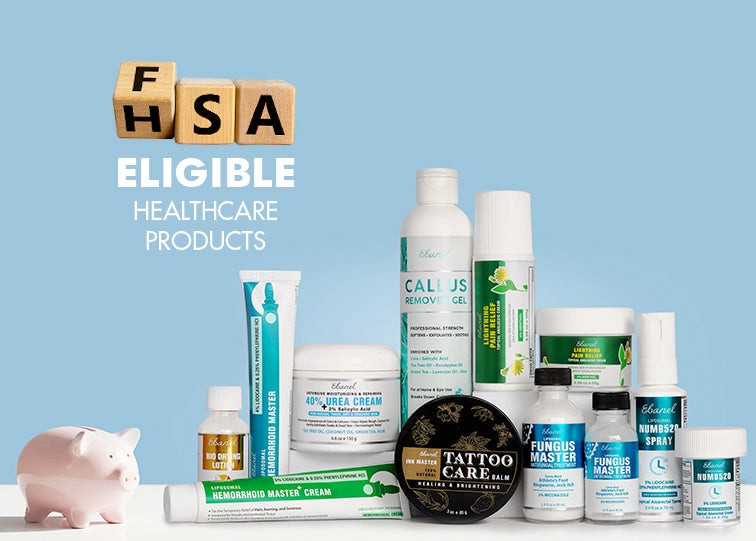
Badges, collections, and nudges turn hidden benefits into visible revenue.
Here's the reality: most of your customers don't know they can use FSA/HSA dollars on your products.
Even if you sell sunscreen, diagnostics, or supplements that clearly qualify, shoppers won't connect the dots themselves. That means money left on the table, for them and for you.
The solution is awareness. By highlighting eligible products at every step of the shopper journey, you create confidence, reduce abandonment, and capture more pre-tax spending.
Why Awareness Matters
Shoppers don't know the rules. Eligibility feels complicated, so they don't assume coverage.
Confidence drives conversion. Clear signals increase add-to-cart and checkout rates.
Discovery lifts AOV. When shoppers see what else qualifies, they add more to cart.
Awareness isn't a single badge on a product page. It's a full system of badges, collections, and nudges.
Step 1: Badges That Build Confidence
Badges are the fastest awareness lever. They take eligibility out of the fine print and put it front and center.
Where to badge:
Product detail pages (PDPs): Place near the title or price.
Cart: Inline with each item, plus a reassurance note.
Checkout prep page: A banner confirming that eligible items will be reimbursed.
Order confirmation emails: A line showing which products are FSA/HSA eligible.
Types of badges:
✅ FSA/HSA Eligible
📄 Eligible with LMN (auto-generated by Burst)
Example copy for PDP:
✅ FSA/HSA Eligible: “Pay with Shop Pay or Apple Pay today. We'll handle reimbursement automatically.”
Step 2: Collections That Drive Discovery
Collections aren't just organizational tools. They're awareness campaigns in themselves.
Examples to build:
Shop with Your FSA/HSA → All eligible SKUs in one place
FSA-Friendly Bundles → Curated cross-sells that maximize savings
Seasonal Collections → “Use-It-or-Lose-It” year-end FSA campaigns
How to implement:
Use Burst's auto-tagging (✅, 📄, ❌) to create automated collections
Link them in your main nav, homepage, and footer
Promote them in email/SMS campaigns tied to seasonal spikes
Step 3: Nudges That Reassure at Every Step
Awareness doesn't stop at the PDP. Shoppers need reinforcement as they move through the funnel.
High-impact nudges:
Cart drawer: “3 items in your cart are FSA/HSA eligible.”
Checkout banner: “Great news. Your FSA/HSA-eligible items will be reimbursed automatically.”
Order confirmation email: Itemized eligibility with LMN handling explained.
Post-purchase email: Reimbursement guidance or confirmation from Burst.
Why nudges work:
Reduce abandonment by removing doubt
Make benefits feel like “free money” instead of fine print
Turn one-time buyers into repeat customers
Awareness Across the Shopper Journey
Here's how it all fits together:
Awareness at discovery → Collections and navigation tabs
Confidence at decision → PDP badges + eligibility copy
Reassurance at checkout → Cart/checkout nudges
Reinforcement post-purchase → Confirmation + Burst comms
Result: Shoppers see, believe, and use their benefits, and you capture more of the spend.
Common Merchant Mistakes
Relying only on PDP badges → Misses reinforcement opportunities later in the journey
Burying collections in menus → Shoppers won't find them if you don't highlight them
Skipping post-purchase nudges → Customers forget to reimburse, reducing repeat purchase
How Burst Powers Awareness
Burst makes catalog awareness plug-and-play:
Auto-tags products into ✅ Eligible, 📄 LMN, ❌ Not eligible
Surfaces badges on PDP, cart, checkout, and emails
Builds automated collections based on eligibility
Provides post-purchase nudges + LMN handling automatically
👉 Want to make your FSA/HSA-eligible catalog visible end-to-end? See how Burst works for brands.
Next Steps
Install Burst's Shopify app
Add badges to PDP, cart, checkout, and order confirmation
Launch a dedicated “Shop with Your FSA/HSA” collection
Layer in nudges throughout the shopper journey
The Bottom Line: Awareness turns eligibility into action. By making benefits visible at every touchpoint, you unlock more sales, higher AOV, and stronger loyalty.
References
[1] Shopify Docs, “Metafields and Custom Data.”
[2] Burst. “Boost sales with friction-free FSA/HSA checkout.” getburst.com
More in
